AIOU Roll Number Slip Not Showing? How to Fix It
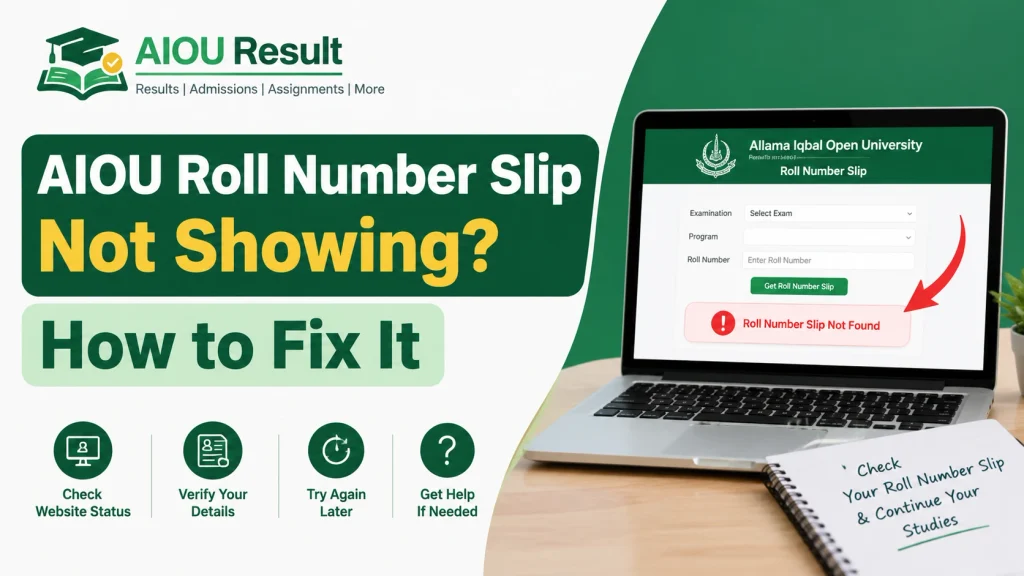
If your AIOU Roll Number Slip Not Showing? How to Fix It, you may be worried about your upcoming examinations. This problem can occur when you are checking the wrong portal, your examination information is not yet available, your course enrollment needs verification, or the website is experiencing a temporary technical issue.
Allama Iqbal Open University (AIOU) provides students with access to their examination information through its official website and Student CMS dashboard. The university’s examination information confirms that students can print their roll number slips from the CMS dashboard. Official AIOU Examination Information.
In this guide, you will learn how to check your roll number slip, troubleshoot common problems, and contact AIOU if your slip remains unavailable.
How to Check Your AIOU Roll Number Slip Online
Follow these steps before trying other solutions.
Step 1: Open the Official AIOU CMS Portal
Visit the official AIOU Student CMS portal:
Make sure you are using the official university website rather than an unrelated third-party page.
Step 2: Log In to Your Student Account
Enter your registered login credentials. If you cannot access your account, resolve the login issue before continuing.
Step 3: Open the Examination Section
After logging in, look for the relevant examination, date sheet, or roll number slip option in your dashboard. The exact menu labels may vary.
Step 4: Select Your Semester and Programme
Check that you are viewing the correct semester and programme. Do not assume that a slip from an earlier semester is valid for your upcoming examination.
Step 5: View and Download Your Slip
If your roll number slip is available, open it and check your personal details, examination centre, paper dates, and course information. Download and print the latest available copy.
If the slip still does not appear, follow the troubleshooting methods below.
Why Is My AIOU Roll Number Slip Not Showing?
There can be several reasons why your slip is unavailable.
1. Roll Number Slips Have Not Been Made Available Yet
Your examination slip may not be available if the university has not released the relevant information for your programme or examination cycle.
What to do: Check the official AIOU website and examination announcements for your semester. Avoid relying on unofficial social media posts claiming that all students’ slips are available.
2. You Are Checking the Wrong Semester
Students sometimes open an old examination record or select the wrong semester.
What to do: Confirm your semester and programme before searching for the slip again.
3. Your Course Enrollment Needs Verification
Your examination details may require verification if your admission or course enrollment is incomplete or pending.
What to do: Check your course registration and enrollment status in CMS. If a course is missing from your admit card despite confirmed enrollment, contact the university’s examination department for guidance.
4. The CMS Website Is Temporarily Not Working
The portal may load slowly, display an error, or fail to open a document because of temporary technical problems.
What to do:
- Refresh the page.
- Log out and sign in again.
- Try another browser.
- Open the website in a private or incognito window.
- Try again later if the portal appears temporarily unavailable.
5. Your Browser Is Showing an Old Page
Cached website data can sometimes prevent updated information from appearing correctly.
What to do: Clear your browser cache or open the portal in another browser. Then sign in again and check your examination details.
6. Your Examination Record Needs Attention
If other students in your programme can see their slips but yours is still missing, your individual record may need to be checked by AIOU.
What to do: Verify your enrollment and fee status, then contact AIOU with your student details and a clear description of the problem. Do not share your password or OTP with anyone.
How to Download an AIOU Roll Number Slip Without Receiving It by Post
Not receiving a printed slip at your home does not necessarily mean that you cannot access your examination details online.
AIOU’s official examination information states that students can print their roll number slips through the Student CMS dashboard. The university’s helpdesk also provides guidance for students who have not received their slips by post.
Use these official resources:
If the public roll-number-slip page does not provide your details, return to the CMS portal and check your individual examination record.
Before going to your examination centre, verify the current university instructions about required documents and identification.
What to Do If Your Roll Number Slip Is Still Missing
If you have tried the steps above and the slip is still unavailable, follow this process.
Step 1: Check Your Admission and Enrollment Status
Log in to CMS and verify that your admission and relevant courses are properly recorded. If any course or enrollment status appears incorrect, note the details.
Step 2: Check Official Examination Announcements
Visit the official AIOU website and the Examination Department page for current notices and instructions.
Step 3: Contact AIOU Examination Support
Explain that your roll number slip is not showing. Include your programme, semester, student ID or registration information, and a screenshot of the problem where appropriate.
Official contact details published by AIOU include:
- Phone: 051-111-112-468
- Email: support@aiou.edu.pk
- Examination email: exam@aiou.edu.pk
- Online helpdesk: support.aiou.edu.pk
You can also contact your concerned regional office. AIOU examination information advises students who do not receive their slips or find errors in them to contact the university or their regional office.
Step 4: Keep a Record of Your Complaint
If you submit an online complaint, save the ticket number or confirmation. Keep copies of relevant screenshots and payment or enrollment records in case the university requests them.
Important: Do not wait until the day of your examination to report a missing slip.
AIOU Roll Number Slip Not Showing on Mobile
If your slip is not showing on your mobile phone, try these steps:
- Open the official CMS portal in Chrome or another updated browser.
- Sign in using your student account.
- Enable the desktop-site option if the dashboard is not displaying properly.
- Check whether the slip opens in a new tab or as a PDF.
- Allow PDF files to open or download if your browser blocks them.
- Try using a computer if the problem continues.
These steps may help with display or browser issues. However, if AIOU has not made your individual slip available, changing devices will not create the missing record.
What If Your Roll Number Slip Shows Incorrect Information?
If the slip appears but contains an incorrect roll number, examination centre, or course information, contact AIOU promptly.
Provide the information needed to identify your record and explain exactly what appears incorrect. If a course is missing despite confirmed enrollment, the university’s examination notices may specify the relevant section or contact method for that examination cycle.
Do not assume that an old printed slip remains valid if AIOU has issued an updated one. Check your CMS dashboard and the latest official instructions before travelling to your examination centre.
Frequently Asked Questions
Why is my AIOU roll number slip not showing?
Your slip may not yet be available, you may be checking the wrong semester, your enrollment may need verification, or the portal may have a technical issue. Check CMS and official examination announcements first.
Where can I check my AIOU roll number slip?
You can start with the official AIOU Student CMS Portal and check the relevant examination section. You can also consult the university’s roll number slip page.
Can I download my AIOU roll number slip online?
Yes. AIOU examination information says students can print their roll number slips through the Student CMS dashboard. Availability depends on the relevant examination record being accessible.
What should I do if my slip is missing but my exams are near?
Check CMS, verify your enrollment and course information, and contact AIOU examination support or your regional office as soon as possible. Do not wait until the examination day.
What if I cannot log in to AIOU CMS?
First resolve the account login issue using the official portal’s available recovery options. If you still cannot access your account, contact the AIOU Helpdesk.
Is a printed roll number slip received online acceptable?
AIOU published examination FAQ states that a downloaded slip can be used when the postal copy has not arrived, subject to the identification and document instructions mentioned by the university. Check the latest instructions for your examination cycle before attending.
What if my roll number slip has the wrong examination centre?
Contact AIOU or your concerned regional office promptly and follow the university’s official correction procedure. Do not assume that you can attend a different centre without approval.
Conclusion
If your AIOU roll number slip is not showing, start by checking the official CMS portal and confirming your semester, programme, and course enrollment. Try basic browser troubleshooting if the page is not loading correctly.
If your slip remains unavailable, contact AIOU examination support or your concerned regional office before your examination date. Always follow the latest official instructions and verify your examination centre and paper schedule before travelling.
aiouresult.com: is an independent student information website and is not affiliated with or operated by Allama Iqbal Open University. Students should verify examination details and official procedures directly with AIOU.
Recommended Internal Links
Add relevant internal links in your WordPress post where they naturally fit:
Featured Image SEO
- Image filename:
aiou-roll-number-slip-not-showing.webp - Image alt text: AIOU roll number slip not showing troubleshooting guide
- Image title: AIOU Roll Number Slip Not Showing
- Image caption: Steps to check and resolve AIOU roll number slip availability issues.
- Suggested image concept: A realistic student viewing an examination slip on a laptop, with notebooks and a student ID on a desk. Use a clean green-and-white educational design.
Suggested Schema
Use your SEO plugin to generate Article schema. Add FAQPage schema only if it is appropriate for your implementation and complies with Google’s current structured-data guidelines. Do not add unsupported claims or fabricated review ratings.