AIOU Aaghi LMS Password Reset 2026 – Step-by-Step Guide
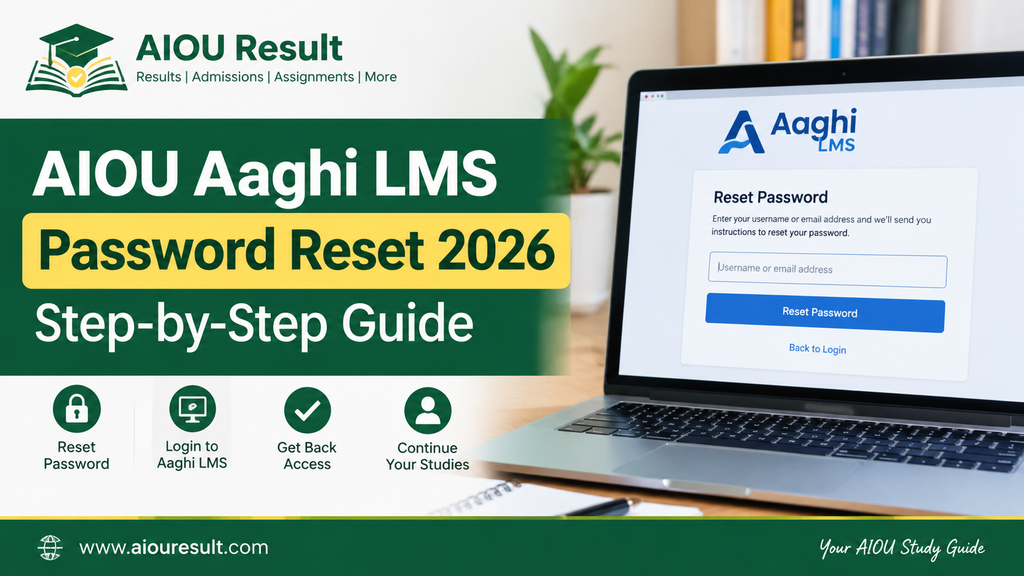
If you have forgotten your AIOU Aaghi LMS password, you can use the university’s official password-reset option to recover access to your account. The Aaghi Learning Management System (LMS) is used by Allama Iqbal Open University (AIOU) students for online learning activities, assignment submissions for applicable programmes, and workshop information.
To begin, visit the official AAGHI LMS portal and look for the Forgot LMS Password option. You can also try the official AIOU LMS Password Reset page.
This guide explains the password-reset process, what to do if you do not receive a verification code, and how to get help if you cannot recover your account.
Official AIOU Aaghi LMS Password Reset Link
Use the following official resources:
- AAGHI LMS Portal: https://aaghi.aiou.edu.pk/
- LMS Password Reset: https://amcr.aiou.edu.pk/forgot_lms_password
- AIOU Helpdesk: https://support.aiou.edu.pk/
- AIOU Official Website: https://www.aiou.edu.pk/
Always check the website address before entering your username, student ID, or other account details.
How to Reset Your AIOU Aaghi LMS Password
Follow these steps to recover your password.
Step 1: Open the Official AAGHI LMS Portal
Visit aaghi.aiou.edu.pk using your mobile phone or computer.
Find the Forgot LMS Password option on the portal’s main page. Select it to continue to the available recovery process.
Step 2: Open the Password Reset Page
You can also visit the official AIOU LMS Password Reset page.
The page asks for your LMS username or student ID. Enter the details associated with your existing Aaghi LMS account.
Step 3: Enter Your LMS Username or Student ID
Enter your registered LMS username or student ID carefully.
- Check the spelling and numbers.
- Use the account details provided by AIOU.
- Do not enter another student’s information.
- Avoid adding spaces accidentally.
Follow the instructions displayed on the official page to verify your account.
Step 4: Verify Your Account
The official password-reset page provides a verification step using a one-time password (OTP) sent to the contact information available for your account.
Follow the instructions on the page to request and enter the verification code. The available verification method depends on the contact details associated with your account.
Security reminder: Never share your OTP or password with another person.
Step 5: Create a New Password
If your account is successfully verified, follow the on-screen instructions to reset your password.
Choose a strong password that you do not use for other websites. Save it securely so you can access your LMS account again.
Step 6: Log In to AAGHI LMS
Return to the official AAGHI LMS portal and try signing in with your username and new password.
If the reset succeeds but login still fails, check that you are using the correct account and the appropriate LMS portal for your programme or semester.
What If You Do Not Receive the AIOU LMS OTP?
If the verification code does not arrive, try the following:
- Confirm that you entered the correct LMS username or student ID.
- Check whether the reset page shows a registered mobile number or email address.
- Wait briefly and follow the page’s instructions for requesting another code.
- Check your email’s spam or junk folder if email verification is offered.
- If your registered contact information is missing or incorrect, contact AIOU through its official support channels.
Do not repeatedly request verification codes without following the instructions shown on the page.
What If Your AIOU LMS Account Cannot Be Found?
If the password-reset page cannot find your account, first check that you entered the correct username or student ID.
If the details are correct and the account still cannot be found, your account may require assistance from AIOU. Students who have never received their AAGHI LMS credentials are advised by the university to contact their concerned Regional Campus.
You can find official assistance through the AIOU Helpdesk.
What If the New Password Does Not Work?
If you have reset your password but still cannot log in, try these steps:
- Re-enter your username carefully.
- Make sure you are using the new password rather than the old one.
- Check whether Caps Lock or keyboard language settings are affecting your entry.
- Open the portal in an updated browser.
- Try a private or incognito window if the browser appears to retain old information.
- Confirm that you are opening the correct official LMS portal.
If none of these steps works, contact AIOU support and explain that you have reset your password but still cannot access your account.
Also Check: AIOU CMS Login Problem – How to Fix Login Errors in 2026
AIOU Aaghi LMS Password Reset vs CMS Password Reset
Aaghi LMS and CMS serve different purposes. Aaghi LMS is used for online learning activities, while CMS manages student academic records and other student services.
A password for one system may not automatically work in the other. Use the recovery instructions for the specific portal you need.
| Portal | Main Purpose | Official Link |
|---|---|---|
| AAGHI LMS | Online learning and applicable assignment or workshop activities | AAGHI LMS |
| CMS | Student records, course registration, and related services | AIOU website |
| AIOU Helpdesk | Support requests and complaints | Helpdesk |
How to Contact AIOU for LMS Password Problems
If you cannot reset your password, use the university’s official support channels.
- Helpdesk: https://support.aiou.edu.pk/
- Email: support@aiou.edu.pk
- Phone: 051-111-112-468
When contacting support, describe the issue clearly. Mention whether you forgot your password, did not receive an OTP, cannot find your account, or cannot log in after resetting your password.
Provide personal or registration information only through an official university support channel when requested. Never publish your password or OTP in a public comment.
Frequently Asked Questions
How can I reset my AIOU Aaghi LMS password?
Open the official AAGHI LMS portal and select Forgot LMS Password. You can also visit the official LMS Password Reset page, enter your registered username or student ID, and follow the account-verification instructions.
What is the official AIOU LMS password-reset link?
The official reset page is https://amcr.aiou.edu.pk/forgot_lms_password. You can also begin from https://aaghi.aiou.edu.pk/.
What should I do if I do not receive an OTP?
Check the username or student ID you entered and review the contact information shown on the reset page. If verification is still unavailable, contact the AIOU Helpdesk or your concerned Regional Campus.
Can I reset my AIOU LMS password using my mobile phone?
You can open the official portal in a mobile browser and follow the password-reset instructions. Make sure your internet connection is stable and your account details are correct.
Why is my AIOU LMS account not found?
Possible reasons include incorrect login details or an account issue that requires university assistance. Confirm your details and contact AIOU if the portal still cannot find your account.
What should I do if my new LMS password does not work?
Check that you are entering the correct username and newly created password. If the issue continues, contact the official AIOU Helpdesk and explain that password recovery has not restored access.
Conclusion
The AIOU Aaghi LMS password reset process helps students recover access when they forget their login credentials. Start from the official portal, enter your registered username or student ID, and follow the account-verification instructions.
If you cannot receive an OTP, your account cannot be found, or the new password does not work, contact AIOU through its official Helpdesk or your concerned Regional Campus.
Disclaimer: aiouresult.com is an independent educational information website and is not the official website of Allama Iqbal Open University. Always use official AIOU portals for account recovery and student services.