Prime Minister Youth Chromebook Scheme 2026 Registration – Apply Online
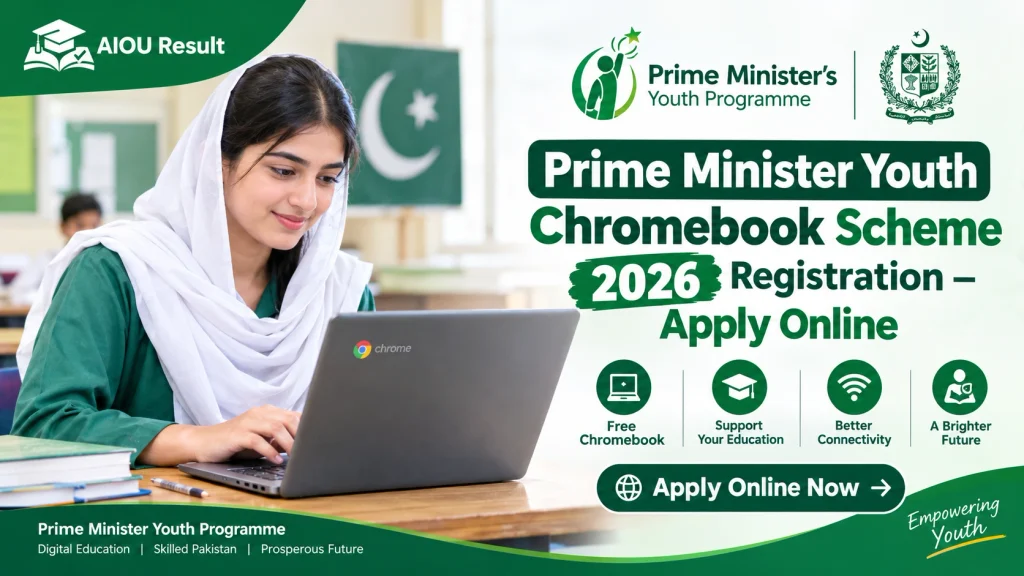
The Prime Minister Youth Chromebook Scheme 2026 is a government initiative designed to help students access digital learning resources and technology. Prime Minister Shehbaz Sharif formally launched the initiative on October 25, 2026. The government has announced a target of distributing 500,000 Chromebooks over two years, alongside internet connectivity devices. Radio Pakistan – Official Announcement.
However, the scheme is not open to every student automatically. The official portal currently lists specific eligibility criteria based on school type, education board, class, and 2026 annual examination results.
This guide explains how to check your record, prepare the required documents, and submit your application correctly.
Prime Minister Youth Chromebook Scheme 2026 – Latest Update
Here are the key details available from the official portal and government announcement.
| Detail | Information |
|---|---|
| Scheme name | Prime Minister’s Youth Chromebook Scheme |
| Year | 2026 |
| Country | Pakistan |
| Official registration portal | https://pmychromebooks.ibcc.edu.pk/ |
| Portal managed by | Inter Boards Coordination Commission (IBCC) |
| Announced distribution target | 500,000 Chromebooks over two years |
| Selection basis | Academic performance in the relevant 2026 annual examinations |
| Application fee | Free |
Important: The official registration portal does not display one universal closing date for every board on the information reviewed for this article. Check your own board’s latest notice before applying.
Students can check their eligibility and begin the application process through the official Inter Boards Coordination Commission (IBCC) portal:
Apply Online – PM Youth Chromebook Scheme 2026
Who Is Eligible for the PM Youth Chromebook Scheme 2026?
According to the current official IBCC registration portal, eligibility depends on your board and class.
1. Students From Punjab, Sindh, Khyber Pakhtunkhwa and Balochistan
For these boards, the portal says that top-performing students of Grade 9 (SSC-I) from government schools will be considered based on the 2026 annual examinations.
2. Students From AJK, Islamabad and Gilgit-Baltistan
For boards in Azad Jammu and Kashmir, Islamabad Capital Territory (ICT), and Gilgit-Baltistan (GB), the portal lists top-performing students from both:
- Grade 9 (SSC-I)
- Grade 10 (SSC-II)
Selection is based on the relevant 2026 annual examination results.
3. Government School Requirement
The official portal currently states that only students enrolled in government schools are eligible under its listed criteria. Students from private schools should not assume that they qualify unless an official update changes the rules.
4. Your Record Must Be Available
The application system checks your information against the student list supplied by your examination board. If your record is not available, you may need to contact your board.
Read the current criteria directly on the official IBCC Chromebook Scheme portal.
How to Apply Online for the PM Youth Chromebook Scheme 2026
Follow these steps to check your record and complete the application.
Step 1: Open the Official Registration Website
Visit:
https://pmychromebooks.ibcc.edu.pk
Check that the website address is correct before entering any personal information. Avoid registration links shared by unknown social media accounts.
Step 2: Select Your Examination Board
Choose the board under which you appeared in the relevant annual examination. Make sure you select the correct board because the system checks your information against the list supplied by that board.
Step 3: Enter Your Identification or Examination Number
The official portal accepts one of the following, as recorded by your board:
- CNIC or B-Form number
- Examination roll number
- Registration number
Enter the number without dashes or special characters, as instructed on the portal.
Step 4: Enter Your Date of Birth
Provide your date of birth exactly as required by the registration form and your official record.
Double-check the information before continuing.
Step 5: Find Your Record
Click the option to find your record. The portal will check whether your information matches the relevant board’s list.
If your record is found, check your name, school and marks carefully before proceeding.
Step 6: Upload the Required Documents
The portal asks eligible applicants to upload their photograph, mark sheet and attested identification documents. Prepare clear, readable files before starting.
Step 7: Review and Submit the Application
Carefully review all entered details and uploaded documents before submitting the form. The official portal warns that students cannot change the submitted form themselves after submission.
Step 8: Save Your Reference Number and Application Slip
After successful submission, save your reference number and download the application slip. Keep a copy for future reference.
Official registration link: pmychromebooks.ibcc.edu.pk
Required Documents for Chromebook Scheme Registration
Prepare the following documents before beginning your application.
| Document | Official portal instructions |
|---|---|
| Recent photograph | Colour photo, front-facing, plain background; JPG or PNG; up to 300 KB |
| Examination mark sheet | Relevant SSC-I or SSC-II mark sheet; JPG, PNG or PDF; up to 300 KB |
| B-Form or CNIC copy | Attested copy; JPG, PNG or PDF; up to 300 KB |
| Father’s or guardian’s CNIC | Attested copy; JPG, PNG or PDF; up to 300 KB |
Make sure each file is readable and follows the portal’s size and format requirements. If your document is too large, reduce the file size without making the text unreadable.
Use only accurate information. The official portal warns that false information can lead to cancellation of the Chromebook allocation and further action.
What If Your Record Is Not Found?
If the portal displays a message that your record cannot be found, do not immediately assume that your application has been rejected.
Try the following:
- Confirm that you selected the correct examination board.
- Check your date of birth.
- Enter your roll number instead of your CNIC or B-Form number.
- Try your registration number if the other number does not work.
- Make sure the number is entered without dashes or special characters.
- If your record is still unavailable, contact your relevant examination board.
The official IBCC portal specifically recommends trying a roll number or registration number if a CNIC or B-Form search does not work.
Do not submit multiple applications. The portal states that each student can apply only once.
PM Youth Chromebook Scheme 2026 Last Date
Students should check the latest announcement issued by their own examination board for the registration deadline.
A single nationwide deadline should not be assumed unless the government or the relevant board confirms it. Registration arrangements may differ depending on board results and the availability of student records.
For example, the official portal states that registration for students of Sindh will open on the same portal after all Sindh examination boards declare their Class 9 annual examination results for 2026.
Check the official registration portal and your board’s website regularly for updated deadlines and instructions.
Also Check:
Is the Chromebook Scheme Free?
The government has announced the distribution of Chromebooks as part of a student-support initiative. However, applicants should read the official terms and instructions on the registration portal before submitting an application.
Do not pay an unofficial agent or an individual claiming to guarantee selection. The scheme’s official portal is the appropriate place to check application instructions and eligibility.
Important Instructions for Applicants
Keep these points in mind before applying:
- Use the official IBCC registration portal.
- Confirm that your board and class match the eligibility criteria.
- Enter your personal details exactly as they appear in your official records.
- Upload clear documents within the specified file-size limits.
- Review the entire application before submitting.
- Save your reference number and application slip.
- Contact your examination board if your record cannot be found.
- Do not share your passwords or OTPs with anyone.
- Do not assume that applying guarantees selection; the scheme uses eligibility and merit criteria.
Frequently Asked Questions
What is the official website for PM Youth Chromebook Scheme 2026?
The official registration portal is https://pmychromebooks.ibcc.edu.pk/, managed by the Inter Boards Coordination Commission (IBCC).
Who can apply for the Chromebook Scheme 2026?
According to the current official portal, top-performing students of government schools are considered based on their 2026 annual examination results. Eligible classes depend on the examination board.
Can private school students apply?
The current portal states that only students enrolled in government schools are eligible under the listed criteria. Private school students should follow official announcements for any changes.
Which classes are eligible?
For Punjab, Sindh, Khyber Pakhtunkhwa and Balochistan, the portal lists Grade 9 students. For AJK, ICT and Gilgit-Baltistan, it lists Grade 9 and Grade 10 students.
What documents are required?
The portal asks for a recent colour photograph, relevant examination mark sheet, an attested B-Form or CNIC copy, and an attested CNIC copy of the student’s father or guardian.
What should I do if my record is not found?
Try your roll number or registration number instead of your CNIC or B-Form number. If the system still cannot find your record, contact your relevant examination board.
Can I edit my application after submitting it?
The official portal warns that applicants cannot change the form themselves after submission. Review your information carefully before submitting.
What is the last date to apply?
Check the official IBCC portal and your examination board’s latest notice. Do not rely on an unverified deadline shared on social media.
Will every eligible applicant receive a Chromebook?
The scheme is merit-based and has a stated distribution target. Meeting the initial criteria or submitting an application should not be treated as a guarantee of receiving a device.
Conclusion
The Prime Minister Youth Chromebook Scheme 2026 aims to expand students’ access to digital learning in Pakistan. Eligible students should first check their records through the official IBCC portal, prepare the required documents, and carefully complete the online application.
Before applying, confirm the eligibility rules for your board and check the latest deadline. If your record is missing or your details are incorrect, contact your examination board for assistance.
Apply online: https://pmychromebooks.ibcc.edu.pk/
About AIOUResult.com: AIOUResult.com is an independent student information website. It is not an official government portal and is not affiliated with the Prime Minister’s Youth Programme or IBCC. Always verify application requirements through the official scheme portal.