AIOU Assignment Result 2026 – Check Marks Online via CMS
To check your AIOU assignment result online, log in to the AIOU CMS portal, open the My Results tab and click View Course Detail. AIOU also has a separate assignment marks service, but it may show data for older semesters only, so use CMS for your current semester.
This guide explains how to check your assignment marks, how they differ from your final result, and what to do if your marks are missing.
AIOU Assignment Result Check Online: Overview
Assignment marks show the grades you received for your submitted assignments. They are one part of your overall assessment and may count towards your final grade, depending on your programme’s rules.
| Information | Details |
|---|---|
| Institution | Allama Iqbal Open University (AIOU) |
| Topic | Assignment result and marks |
| Country | Pakistan |
| Main student portal | AIOU CMS |
| Official CMS link | https://enrollment.aiou.edu.pk/ |
| Assignment marks service | https://result.aiou.edu.pk/ |
| Information required | CMS login details, or roll number details where requested |
| Fee | No fee mentioned by AIOU for checking results online |
Assignment marks and your final semester result are not the same. The final result may also include exam marks and other components.
How to Check AIOU Assignment Result Online
The most reliable way is through the official CMS portal.
Step 1: Open the Official AIOU CMS Portal
Go to https://enrollment.aiou.edu.pk/. This is the main portal for AIOU student records and services.
If you need help logging in, read our AIOU CMS portal login guide.
Step 2: Enter Your Login Details
Use the credentials provided by the university. You may need:
- Your AIOU registration number or student ID
- Your CMS password
- Any extra verification the portal asks for
Check your details carefully before clicking Submit.
Step 3: Open Your Student Dashboard
After logging in, you will see your student dashboard. AIOU uses this portal to record your academic progress.
Step 4: Open the My Results Tab
Look for the results option in your account. According to AIOU’s FAQs, you can check your declared result by clicking the My Results tab in CMS.
Step 5: Click View Course Detail
Select the semester or result record you want. According to AIOU’s instructions, the View Course Detail option opens the detailed record for that result. Check the course codes and marks carefully.
Step 6: Save Your Result Details
Once your result is published, keep a digital or printed copy. Never share your CMS password with anyone.
For more help, visit the official AIOU FAQs.
Can You Check AIOU Assignment Marks by Roll Number?
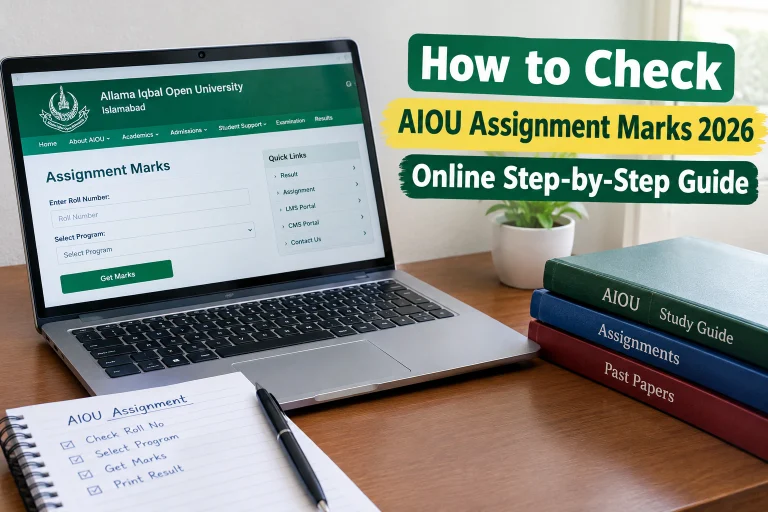
AIOU has a separate assignment marks service on its result website: https://result.aiou.edu.pk/. Some students prefer it to logging in to CMS.
However, this service may show data for older semesters only. Treat it as a legacy service until AIOU updates it. If you cannot find your semester there, check CMS or contact your Regional Campus.
The details you may need are:
- AIOU registration number
- Roll number, if requested
- Programme name
- Semester
- Course codes
The required details can differ between official portals.
AIOU Assignment Marks vs Final Result
Students often confuse these two records. They are related but different.
| Assignment Marks | Final Semester Result |
|---|---|
| Shows marks awarded for assignments | Shows the overall course result |
| Part of continuous assessment | May include assignments, exams and other components |
| Can be available separately | Declared through the university’s result system |
| Helps you review assignment performance | Shows the final academic outcome |
AIOU explains that students can view declared results through CMS and see additional course component details. Assessment rules differ between programmes, so check your prospectus and official examination instructions instead of assuming one formula for every programme.
Once your result is declared, use our AIOU GPA Calculator to calculate your GPA.
When Are AIOU Assignment Marks Available?
Assignment marks do not appear on one fixed date. The timing depends on:
- When you submitted your assignment
- How quickly your tutor evaluates it
- When the marks are sent to the concerned university office
- Processing of academic records
- Updating of the online system
A delay does not mean your assignment is lost or rejected. Refresh the portal after some time, and if marks still do not appear, contact your Regional Campus.
What to Do If AIOU Assignment Marks Are Not Showing
Marks can be missing for several reasons:
- Your assignment has not been evaluated yet.
- The marks have not been sent for updating.
- The marks are not yet published on your record.
- You are looking at the wrong semester or course.
- There is a temporary technical problem.
If you have already waited a reasonable time, follow these steps:
1. Check your semester and course. Make sure you selected the correct semester and course code.
2. Check your proof of submission. Find your LMS submission record, courier receipt, postal receipt or tutor acknowledgment. If you are not sure how to confirm a submission, read our guide on AIOU assignment submission confirmation.
3. Contact your Regional Office. According to AIOU’s FAQs, ODL students whose assignment, quiz or attendance marks are missing should contact the Directorate of Regional Services. They review the claim and, if it is in order, forward it to the Results Section.
4. Send an application with proof. Include your registration number, roll number, course code, semester, proof of submission and screenshots. You can also contact the AIOU Help Desk for assignment marks issues.
5. Keep a record. Save a copy of your application, attachments and any complaint number you receive, and wait for instructions from the concerned office.
Official AIOU Links for Assignment Results
| Official Service | Purpose | Link |
|---|---|---|
| AIOU Main Website | University information and announcements | https://www.aiou.edu.pk/ |
| AIOU CMS Portal | Student academic records and declared results | https://enrollment.aiou.edu.pk/ |
| AIOU Results Website | Result-related services | https://result.aiou.edu.pk/ |
| AIOU FAQs | Official student questions and answers | https://aiou.edu.pk/frequently-asked-questions-faqs |
Before entering your login details, always make sure you are on an official university domain.
Important Instructions for AIOU Students
- Always log in through the official AIOU CMS portal.
- Enter your details carefully.
- Check that you selected the correct semester and course code.
- Do not confuse assignment marks with your final result.
- Keep proof of assignment submission until your marks appear.
- If marks are missing, contact your Regional Office.
- Never share your CMS password or verification code with anyone.
- Follow official AIOU notices for updates to examination procedures.
Frequently Asked Questions
How can I check my AIOU assignment result online?
Visit the official CMS portal at https://enrollment.aiou.edu.pk/, log in with your university credentials and open the My Results tab. You can also check whether the separate assignment marks service has your semester.
Can I check AIOU assignment marks by roll number?
AIOU has a separate assignment marks service on its result website, but it may show older semester data only. For your current semester, use the CMS portal or contact your Regional Campus.
How can I check assignment marks on the AIOU CMS portal?
Log in to CMS, click the My Results tab and then click View Course Detail to see the available result components.
What should I do if my assignment marks are missing?
Contact your Regional Office. ODL students should contact the Directorate of Regional Services for missing assignment, quiz and attendance marks. Keep your course details and proof of submission ready.
Why are my assignment marks not updated?
Your assignment may still be under evaluation, or the marks may not have been entered yet. You may also have selected the wrong semester, or there may be a system issue. If the problem continues, contact your Regional Office.
Is aiouresult.com the official AIOU result website?
No. aiouresult.com is not the official university website. Use the official AIOU website, CMS portal and university services for accurate records.
Conclusion
Checking your AIOU assignment result online helps you stay on top of your academics. Use the official CMS portal to view your declared results and course details. If you use the separate assignment marks service, remember that it may show older semester records. If any marks are missing or incorrect, report it to your Regional Office with proof of submission. For the latest updates, always follow official AIOU notices.
You can also explore our latest AIOU updates and check the AIOU assignment schedule.
Disclaimer: This website is a third-party student-information website and is not affiliated with, associated with, authorized by or sponsored by Allama Iqbal Open University. Marks cannot be changed, corrected or issued by this site. For all student and account-related services, please visit AIOU’s official website and authorized university portals.

One Comment