How to Check AIOU Assignment Marks 2026 – Online Step-by-Step Guide
How to Check AIOU Assignment Marks 2026 – Online Step-by-Step Guide If you are an Allama Iqbal Open University (AIOU) student and want to check your assignment marks online, you can start with the official AIOU Assignment Marks page or the CMS student portal. Students enrolled in applicable online-learning programs can also check assignment grading information through AAGHI LMS.
In this guide, you will learn how to check AIOU assignment marks in 2026, find marks by your student details, check course-wise results, and resolve problems when marks are missing.
Official Links to Check AIOU Assignment Marks 2026
Use these official AIOU resources to access assignment and academic records.
| Online service | Official link |
|---|---|
| AIOU Assignment Marks | Check assignment marks |
| AIOU CMS Student Portal | Open CMS login |
| AAGHI LMS Portal | Open AAGHI LMS |
| AIOU Result Portal | Check examination results |
| AIOU Help Desk | Submit a support request |
These links are provided through AIOU’s official website and support resources. The information available may depend on your program, semester, and whether your marks have been uploaded. AIOU examination services.
How to Check AIOU Assignment Marks Online
Follow these steps to look for your assignment marks.
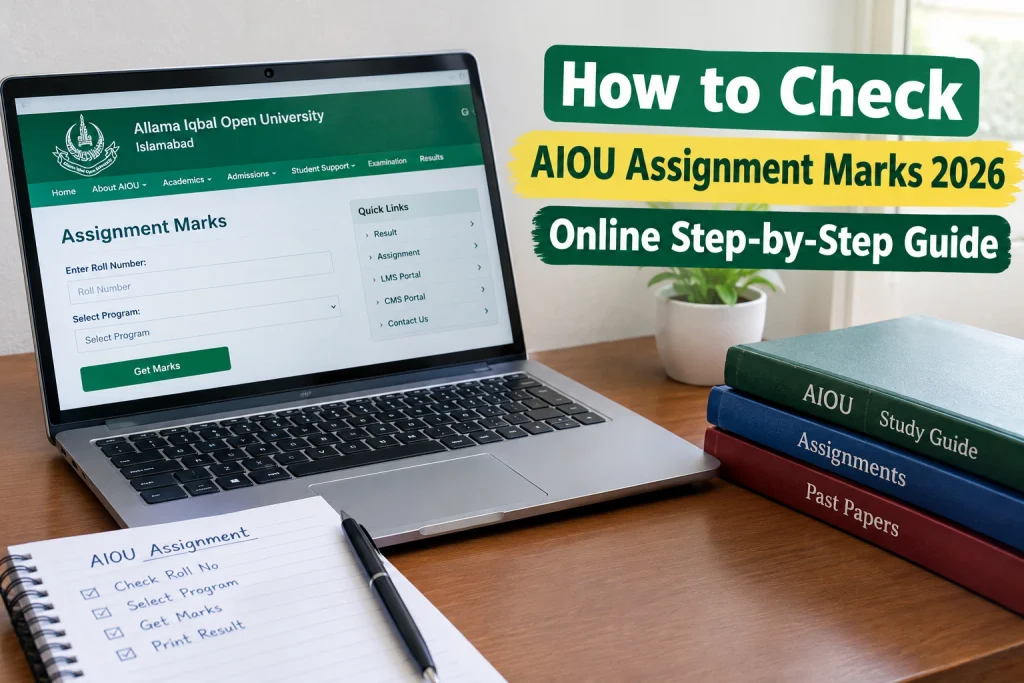
Step 1: Open the official Assignment Marks page
Visit the AIOU Assignment Marks page.
This is a dedicated university resource for assignment marks. If the page is unavailable or does not display your current semester, try the CMS portal.
Step 2: Enter the required student information
Follow the instructions displayed on the page. Enter your roll number or other requested information accurately.
Make sure your details match your university record. Do not enter your password on unofficial websites that claim to show assignment marks.
Step 3: Submit your details
Click the relevant search or submit option, if available. The page may display your assignment marks if your record is available in the system.
Step 4: Check the course information
If marks appear, review the course code and other displayed details. Confirm that the record belongs to your program and semester.
If your marks are not displayed, it does not automatically mean that you have failed. Your assignment may still be awaiting evaluation, or the marks may not yet have been uploaded.
Also Check: AIOU Assignment Spring 2026 – PDF Download & Last Dates
How to Check AIOU Assignment Marks Through CMS
AIOU’s CMS portal allows students to access academic information and examination results.
Follow these steps
- Visit the official AIOU CMS portal.
- Log in using your student credentials.
- Open the results or academic-record section available on your dashboard.
- Select My Results when the option is available.
- Open the relevant semester and choose View Course Detail to see available component marks.
According to AIOU’s official FAQ, students can view their results on CMS after results are declared and can see further component details through the course-detail option. The marks displayed depend on the information available in the student record. Official AIOU FAQ.
Important: Assignment marks may not appear separately for every student or course at all times. If you cannot find them, use the dedicated Assignment Marks page or contact AIOU.
How to Check Assignment Marks on AAGHI LMS
AAGHI LMS is used by students in applicable distance-learning programs to access course materials, submit assignments, and review grading information.
Steps to check your assignment grading
- Open the AAGHI LMS portal.
- Log in using the credentials provided by AIOU.
- Select your relevant semester and course.
- Open the assignment activity or grading section available for that course.
- Check whether the assignment has been graded and whether marks or feedback are displayed.
The exact options may differ between courses and semesters.
AIOU’s official guidance states that applicable ODL BS, B.Ed, MA, MSc, and equivalent students submit assignments through AAGHI LMS. SSC and HSSC students submit assignments to their tutors according to university instructions.
Remember: An uploaded assignment is not necessarily a graded assignment. If your work has been submitted but no marks are visible, the tutor may not have completed the evaluation or the marks may not yet be reflected in the portal.
How to Check AIOU Assignment Marks for Matric and FA
Matric and FA students should follow the assignment submission instructions provided for their programs.
For these students:
- Check the official assignment schedule for the relevant semester.
- Submit assignments to the assigned tutor as instructed.
- Keep a copy of each completed assignment.
- Retain courier or delivery receipts when assignments are sent physically.
- Check the Assignment Marks page or CMS for updated academic records.
You can visit the official AIOU Assignment Schedule to review the applicable instructions.
Do not assume that every Matric or FA student must upload assignments through AAGHI LMS. Follow the submission method specified by AIOU for your program.
Why Are My AIOU Assignment Marks Not Showing?
There are several possible reasons why your assignment marks may not appear online.
1. Your assignment has not been graded
Your tutor may still be evaluating your work. Check again later and follow up with the relevant university office if the delay continues.
2. Marks have not been uploaded
Even after evaluation, marks may not immediately appear in your online record. Contact your regional office if the marks remain missing.
3. You selected the wrong semester or course
Check your course code, program, and semester carefully. Incorrect details may prevent you from finding the relevant record.
4. Your assignment submission needs verification
If you submitted an assignment by post or courier, keep your proof of delivery. This may help the university investigate a missing-mark complaint.
5. The website is temporarily unavailable
Try accessing the official page again later. You can also use the CMS portal or contact AIOU through its official Help Desk.
How to Complain About Missing AIOU Assignment Marks
If you submitted your assignment within the deadline but the marks are still missing, follow these steps.
- Confirm your course code and semester.
- Check your assignment submission date.
- Collect any available proof, such as a courier receipt or submission confirmation.
- Contact your concerned AIOU regional office.
- Explain which assignment marks are missing and provide the information requested by the university.
AIOU’s official Help Desk guidance says students who submitted assignments on time and have proof, such as a registry or courier slip, should submit an application to their concerned regional office requesting inclusion of the missing assignment marks.
Read the official guidance here: AIOU Inclusion of Assignment Marks.
You can also visit the AIOU Help Desk for further assistance.
Tips for Checking AIOU Assignment Marks
Follow these practical tips to avoid common problems.
- Use official websites: Check your marks through AIOU’s official services.
- Keep your details ready: Have your registration information and course code available.
- Check the correct semester: Make sure you are looking at the semester in which you submitted your assignment.
- Save submission proof: Keep receipts and digital confirmations until your marks are updated.
- Check regularly: Review your academic record for updates.
- Contact the right office: If marks remain missing, contact your regional office instead of relying on unofficial social media claims.
Frequently Asked Questions
How can I check AIOU assignment marks online in 2026?
Visit the official Assignment Marks page or log in to the AIOU CMS portal. Follow the available options for your program and semester.
Can I check AIOU assignment marks by roll number?
Use the official Assignment Marks page and enter the student details requested by the system. The exact fields and available records may vary.
Why are my assignment marks missing?
Your assignment may still be awaiting evaluation, the marks may not have been uploaded, or you may have selected the wrong course or semester. If the problem continues, contact your regional office.
Do Matric students submit assignments through AAGHI LMS?
AIOU official FAQ states that SSC and HSSC assignments are submitted to tutors according to university instructions. Applicable higher-level ODL programs use AAGHI LMS for assignment submissions.
Where can I complain about missing assignment marks?
Contact your concerned AIOU regional office and provide proof of timely submission where available. You can also consult the official AIOU Help Desk.
Are assignment marks the same as final examination marks?
No. Assignment marks and final examination marks are separate assessment components where applicable. The final course result depends on the assessment rules for your program.
Can I check my assignment marks through CMS?
Yes, CMS provides access to academic records and results. AIOU official FAQ explains that students can open My Results and select View Course Detail to see available component information after results are declared.
Conclusion
Checking AIOU Assignment Marks 2026 is straightforward when you use the correct official service. Start with the Assignment Marks page, then check CMS for available course-wise results. Students whose programs use AAGHI LMS can also review assignment grading information there.
If your marks are missing, verify your course details and keep proof of submission before contacting your regional office or the official Help Desk.
Disclaimer: aiouresult.com is an independent educational information website and is not affiliated with Allama Iqbal Open University. Always verify student records and academic information through official AIOU services.