Allama Iqbal Open University Result Check 2026 – Online Method
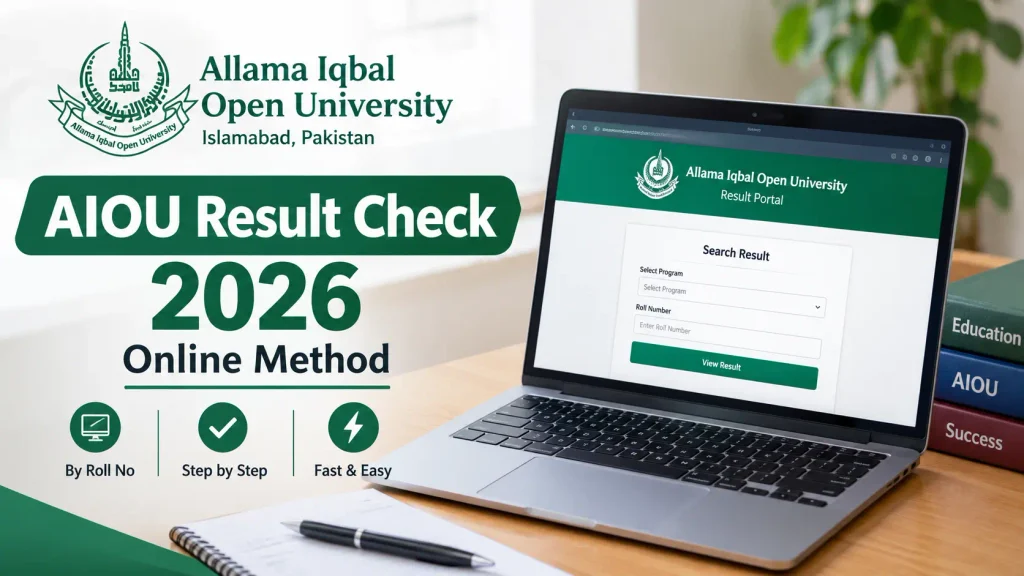
Students looking for Allama Iqbal Open University Result 2026 can check their results online through the official AIOU result system and student CMS portal. AIOU provides an online result service where students can check current and previous results, view result details, and access their web-based result information.
Whether you are waiting for your AIOU Spring 2026 Result, checking an older semester, or looking for your complete result history, this guide explains the process step by step.
Important: AIOU Result.com is an independent educational information website and is not affiliated with or operated by Allama Iqbal Open University. Always verify your result through the official AIOU portals.
Allama Iqbal Open University Result 2026 – Details
| Information | Details |
|---|---|
| University | Allama Iqbal Open University |
| Result Year | 2026 |
| Result Portal | AIOU Web-Based Result |
| Current Results | Available through official AIOU systems |
| Previous Results | Available semester-wise |
| Result History | Available online |
| Student Portal | AIOU CMS |
| Required Information | Roll Number / Student Login |
AIOU’s official result portal provides Current & Previous Results, semester-wise previous results, complete previous-result history, and web-based provisional certificate services.
How to Check Allama Iqbal Open University Result 2026
Checking your AIOU result online is straightforward.
Step 1: Open the Official AIOU Result Portal
Visit the official AIOU Result website:
The official portal is titled Results – Allama Iqbal Open University and provides options for current and previous results.
Step 2: Select the Result Option
After opening the result portal, choose the appropriate result option.
Depending on what you need, you may see options for:
- Current result
- Previous result
- Semester-wise result
- Complete result history
- Provisional certificate
Select the option relevant to your semester and program.
Step 3: Enter Your Roll Number
Enter your AIOU Roll Number in the required field.
Make sure the roll number is entered correctly. A single incorrect digit can prevent the system from finding your result.
Step 4: Select the Required Information
For previous or semester-wise results, the official AIOU result system provides fields for:
- Level
- Semester
- Year
- Roll Number
You can select the appropriate information and then search for your result.
Step 5: View Your Result
After submitting the required information, your result should appear if it has been released and is available in the system.
The web-based result information can include details such as:
- Name
- Roll Number
- Registration Number
- Father’s Name
- Course Code
- Assignment Marks
- Examination Marks
- Conflated Marks
- Grade/GPA
- Result status
AIOU’s web-based result card displays these academic details.
AIOU Result 2026 Through CMS Portal
Students can also access their academic result information through the AIOU CMS portal.
AIOU’s Examination Department states that examination results can be viewed and printed from the students’ CMS Portal.
CMS Result Checking Method
- Open the AIOU CMS portal.
- Log in using your student credentials.
- Open the relevant academic/result section.
- Select the applicable semester or result information.
- Review your marks and result status.
- Download or print the result if required.
The CMS route can be particularly useful for students who already use the portal for other academic services.
Also Check: AIOU Matric Result 2026 By Roll No – Step by Step Guide
AIOU Result 2026 by Roll Number
The roll number is one of the main pieces of information used when checking AIOU results online.
Keep your roll number available before starting the search.
If you have forgotten your roll number, check your:
- Roll number slip
- AIOU student records
- CMS account
- Previous result card
- Other official AIOU documents
Avoid entering random numbers because the result system may not return the correct record.
AIOU Spring 2026 Result
AIOU releases results according to program, semester and examination schedule rather than publishing every student’s result at the same time.
For example, recent reporting in September 2026 noted that AIOU had announced Spring 2026 results for several face-to-face MBA, MS, MPhil and PhD programs. This illustrates why students should check whether their particular program’s result has been released rather than assuming that the entire Spring 2026 result has been announced.
For your own result, use the official result portal or CMS.
AIOU Autumn 2026 Result
Students enrolled in Autumn 2026 should understand that the result will become available after the relevant academic activities, assignments and examinations have been completed and processed.
AIOU’s Examination Department is responsible for examination conduct, evaluation, compilation and declaration of results from Matric through PhD level.
Therefore, students should not rely on unofficial websites claiming that an Autumn 2026 result has been announced unless the result is also available through an official AIOU system.
How to Check Previous AIOU Result
If you want to check an older semester, AIOU provides a separate Semester-wise Previous Result page.
AIOU Semester-Wise Previous Result
The official page provides fields for:
- Level
- Semester
- Year
- Roll Number
After selecting the correct information, submit the search to view the available result.
AIOU Complete Result History
Students who want to review their academic performance over multiple semesters can use the result history option available through the AIOU result system.
The official result portal lists a Complete History option for previous result inquiry covering Spring 2002 to Autumn 2020.
For newer results, use the current result/CMS systems where applicable.
What Information Is Shown on AIOU Result?
An AIOU web-based result can provide several academic details.
The official result card includes fields such as:
- Student name
- Roll number
- Registration number
- Father’s name
- Course code
- Assignment marks
- Examination marks
- Conflated marks
- Grade/GPA
- Result status
This allows students to review both their examination and assignment-related marks where the applicable result format includes them.
AIOU Assignment Marks in Result
AIOU results can include assignment marks along with examination marks.
The official web-based result format displays Total Assignment Marks, Examination Marks, and Conflated Marks, followed by grade/GPA and result information.
If your assignment marks appear incorrect or are missing, compare the result with your available academic records and follow AIOU’s official procedure for result-related queries.
AIOU Result Grade and GPA
AIOU uses a grading system for its students. The university’s Examination Department currently publishes the grading scheme applicable from Autumn 2021 onward.
The published grading table includes:
| Percentage | Grade | GPA |
|---|---|---|
| 85% and above | A | 4.0 |
| 80%–below 85% | A- | 3.7 |
| 75%–below 80% | B+ | 3.3 |
| 70%–below 75% | B | 3.0 |
| 65%–below 70% | B- | 2.7 |
| 60%–below 65% | C+ | 2.3 |
| 55%–below 60% | C | 2.0 |
| 52%–below 55% | C- | 1.7 |
| 50%–below 52% | D | 1.0 |
| Below 50% | F | 0.0 |
These values are published on AIOU’s official Examination Department page.
AIOU Result Not Showing – What Should You Do?
Sometimes a student searches for a result but cannot find it.
This does not necessarily mean that there is a problem with the student’s academic record.
Possible reasons include:
1. Your Program Result Has Not Been Announced
AIOU declares results program-wise and after the examination and evaluation process.
2. Incorrect Roll Number
Check your roll number carefully before submitting the search.
3. Wrong Semester or Year
When using the semester-wise result page, make sure you select the correct:
- Level
- Semester
- Year
- Roll Number
4. Result Is Being Updated
A result may take some time to appear across different AIOU systems.
5. CMS Information Needs Checking
If your result is not appearing through the expected route, log in to your CMS account and check your academic information.
If the issue remains unresolved, contact AIOU through its official examination support channels.
AIOU Result Correction
If you believe there is an error in your result, do not immediately rely on an unofficial website or social-media contact.
AIOU’s Examination Department handles student applications and queries related to examination matters, including result correction.
Keep relevant evidence such as:
- Result card
- Assignment record
- Roll number slip
- Course details
- Other relevant AIOU documents
Then follow the official AIOU procedure for raising the issue.
AIOU Result Card Download
Once your result appears online, you may be able to view or print the web-based result information.
AIOU’s Examination Department states that results can be viewed/printed from the CMS Portal, while the web-based result system provides result-card information online.
For official requirements such as employment, admission or document verification, check whether the organization requires a particular type of AIOU document rather than relying only on a screenshot.
AIOU Provisional Certificate
The official AIOU result portal also provides a Provisional Certificate (Web Based) option.
If you have completed your program and need evidence of completion, check the applicable AIOU procedure for obtaining the required certificate or degree.
A result card and a degree/certificate are not necessarily interchangeable documents.
AIOU Result Helpline
For result-related problems, use AIOU’s official contact information rather than numbers shared by unofficial websites.
The AIOU result portal currently displays the university helpline:
051-111-112-468
AIOU Examination Department also lists exam@aiou.edu.pk for examination-related queries.
Important Tips for Checking AIOU Result 2026
Follow these tips when checking your result:
- Use the official AIOU result website.
- Keep your roll number ready.
- Select the correct semester and year.
- Check your name and registration details.
- Review assignment and examination marks.
- Save or print your result when necessary.
- Check CMS if the result portal does not provide the information you need.
- Do not trust unofficial result links asking for unnecessary personal information.
- Contact AIOU directly if you believe there is an error.
Frequently Asked Questions
How can I check Allama Iqbal Open University Result 2026?
Open the official AIOU Result Portal, select the appropriate result option and enter the required information such as your roll number. You can also check your result through the AIOU CMS portal.
What is the official AIOU result website?
The official AIOU result website is the university’s web-based result portal at result.aiou.edu.pk.
Can I check AIOU result by roll number?
Yes. The semester-wise AIOU result system provides a field for entering your roll number along with the required level, semester and year.
Can I check my AIOU result through CMS?
Yes. AIOU Examination Department states that results can be viewed and printed through the student CMS Portal.
Why is my AIOU result not showing?
Your program result may not have been announced yet, or you may have entered incorrect information. Check your roll number, semester and year and also check your CMS account.
How can I check my old AIOU result?
Use the official semester-wise previous result page and select your level, semester, year and roll number.
Does AIOU result show assignment marks?
The AIOU web-based result format can show assignment marks, examination marks, conflated marks, grade/GPA and result status.
What should I do if my AIOU result has an error?
Contact AIOU through the official examination support process and provide the relevant academic information and evidence. AIOU Examination Department handles result correction queries.
What is the AIOU helpline number?
The official AIOU result portal currently displays 051-111-112-468 as the university helpline.
Final Words
Checking the Allama Iqbal Open University Result 2026 online is simple when you use the official AIOU systems. Start with the AIOU Result Portal or your CMS account, enter your correct information, and review your result details.
Because AIOU declares results according to programs and examination processing, students should check their specific program and semester rather than assuming that all 2026 results are announced at once. AIOU’s Examination Department is responsible for compiling and declaring results, while the official result portal provides current and previous result services.

One Comment